



Local search is often the fastest path to qualified organic revenue. When someone searches for an emergency plumber, an immigration attorney, or specialty coffee near them, they rarely scroll past the top three map results.
That three-listing block Google’s Local Pack captures the lion’s share of clicks and phone calls. At the center of that ecosystem sits your Google Business Profile (formerly Google My Business).
A Google Business Profile is not an online business directory listing that you fill out once and forget. It operates as a dynamic, entity-based ranking asset that bridges the gap between your physical location, your website’s topical authority, and real-time customer engagement.
Whether you are managing local clients as a freelance consultant or scaling an internal marketing program, this guide walks through the exact mechanics required to audit, optimize, and rank a Google Business Profile systematically.
What Is a Google Business Profile and Why Does It Matter?
A Google Business Profile is a free platform provided by Google that allows physical storefronts and service-area businesses to manage how their brand appears across Google Search and Google Maps.
For local queries, Google prioritizes local relevance over raw domain authority. Even if national aggregators or directories dominate standard organic results, a properly optimized local entity can outrank them directly inside the map results.
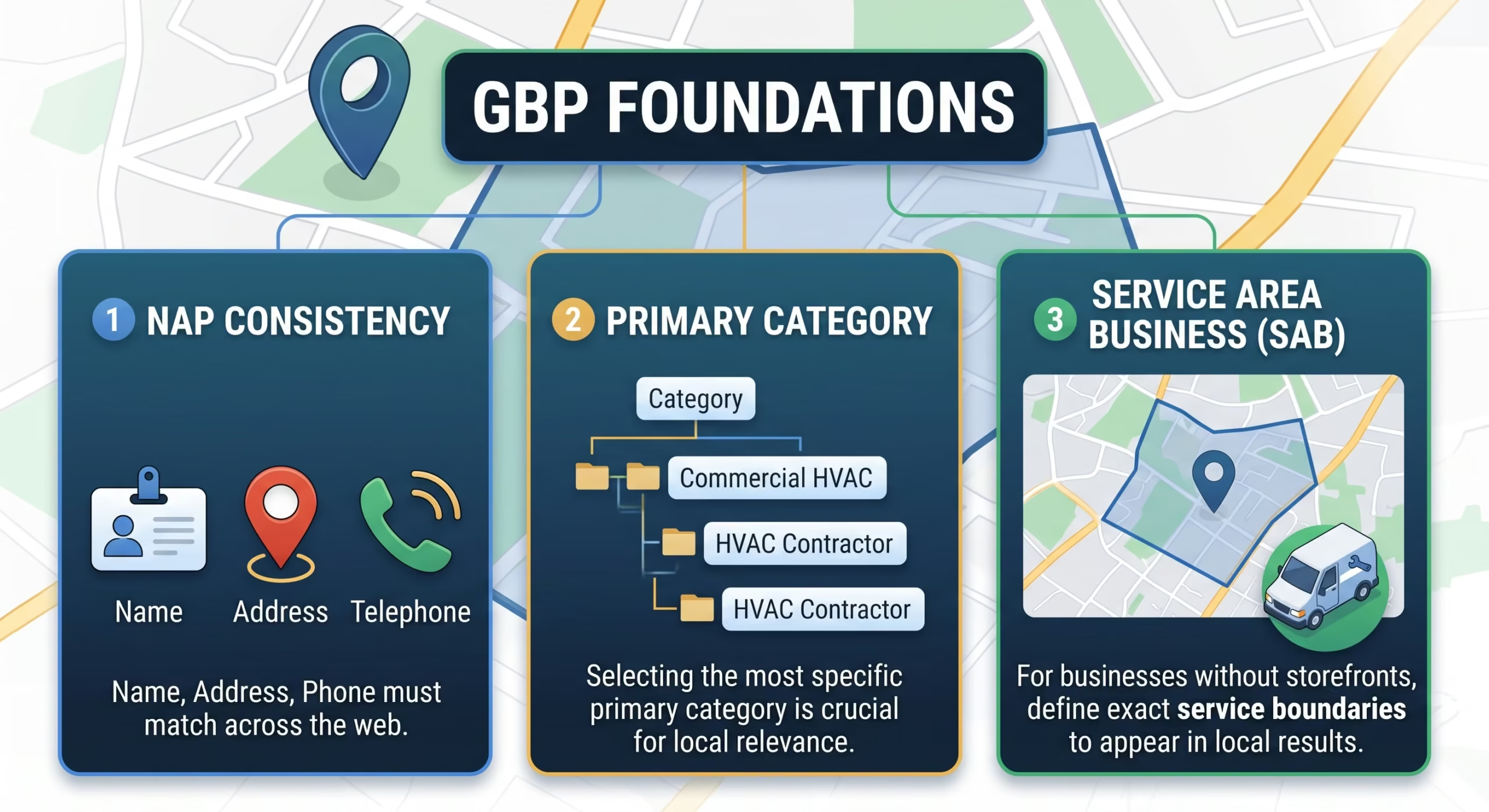
Optimizing this profile matters because:
-
High Commercial Intent: Local search queries routinely represent immediate purchase intent. Users searching for terms containing “near me” or localized service modifiers are typically in the decision stage of their journey.
-
Prominent Real Estate: The Local Pack sits above standard organic listings on mobile devices, capturing high click-through rates before users ever see traditional blue links.
-
Frictionless Conversions: Direct click-to-call, driving directions, native messaging, and integrated appointment booking allow prospective customers to convert without visiting your website.
How Google Evaluates Local Rankings
Before adjusting profile settings, you need to understand how the local algorithm evaluates listings. Google explicitly outlines three foundational local ranking pillars:
| Ranking Pillar | Algorithmic Focus | What Influences It |
| Relevance | How closely a business profile matches what the searcher is looking for. | Primary & secondary categories, business descriptions, product catalogs, and keyword context on linked landing pages. |
| Distance | How far the business or service area is from the searcher’s physical location or specified geographic point. | Physical location address, service area designations, user device GPS/IP, and verified entity coordinates. |
| Prominence | How well-known, reputable, and authoritative the business is within its market. | Review velocity and sentiment, local backlinks, directory citations, brand mentions, and organic website authority. |
While you cannot artificially alter distance Google displays what is closest to the searcher you have complete control over relevance and significant influence over prominence.
Step 1: Core Setup, Ownership, and Verification
A surprising number of local ranking issues stem from unverified profiles, duplicate records, or incorrect business models.
Choose the Correct Business Type
Google distinguishes between two primary business formats:
-
Storefront Businesses: Physical locations where customers visit you (e.g., a dental clinic, bakery, or retail shop). An exact street address must be displayed.
-
Service Area Businesses (SABs): Businesses that travel to deliver goods or services directly to clients (e.g., roofers, mobile mechanics, or pest control specialists). If you operate out of a residential home or shared co-working desk without permanent branding, Google guidelines require you to hide your physical address and define service boundaries instead.
Clean Verification
Always complete verification through Google’s designated workflow (live video recording, phone call/SMS, or email). When using video verification:
-
Record the street exterior, neighboring buildings, and permanent exterior signage.
-
Unlock your workspace or office doors on camera.
-
Show interior business materials, branded stationery, tools of the trade, and utility bills under the business name.
Step 2: Selecting Categories (The Highest-Weight Relevance Factor)
Your category selection is arguably the single most influential on-profile ranking factor for relevance. It directly informs Google’s semantic index about the core services you deliver.
The Primary Category Rule
Your Primary Category carries substantially more algorithmic weight than secondary categories.
-
Choose the most specific, accurate category available rather than a broad descriptor.
-
Example: If a business specializes in commercial refrigeration repair, selecting
"Commercial Refrigerator Repair Service"will yield significantly better local rankings for related commercial queries than simply selecting"HVAC Contractor". -
Inspect the top 3 ranking competitors across multiple geographic coordinates within your target market to identify prevailing category patterns.
Secondary Categories
You can assign up to nine secondary categories.
-
Add secondary categories only for discrete, core services you actively provide.
-
Avoid category stuffing. Adding every vaguely related trade dilutes your profile’s topical focus and can suppress rankings for your main offering.
-
Review your secondary categories quarterly, as Google routinely adds, removes, and refines category definitions.
Step 3: Business Information Consistency and NAP Hygiene
NAP stands for Name, Address, and Phone number. Search engines rely on consistent NAP data across the web to confirm that a physical entity is legitimate and stable.
Business Name Integrity
Use your real-world, legal business name exactly as registered on legal documents, storefront signage, and tax filings.
Do not artificially inject keywords, zip codes, or geographic modifiers into the profile name unless they are part of your legal business registration. While keyword-stuffed names historically gamed map rankings, Google actively penalizes and suspends profiles violating its name guidelines.
Local Phone Numbers vs. Call Tracking
-
Use a local area code telephone number rather than an untracked national toll-free number whenever possible. Local numbers reinforce geographic relevance.
-
If you use call-tracking software (such as CallRail), place the dynamic/tracking number as the primary phone number and list your permanent local landline number as the secondary phone number. This setup preserves directory citation consistency while allowing clean attribution.
Physical Address and Pin Placement
Ensure the street address matches standard postal formats. Manually adjust your map pin within the dashboard to align directly over the customer entrance, especially within multi-tenant commercial complexes.
Step 4: Crafting an Entity-Rich Business Description
The business description field allows up to 750 characters. While Google has stated that keywords in the description do not directly alter the local ranking algorithm in the same mathematical way categories do, this text serves two critical purposes:
-
It informs conversational AI models, Google Lens, and answer engines (AEO) during contextual entity extraction.
-
It convinces searchers to contact your business once they open your profile.
Description Blueprint
-
First 200 Characters: State who you are, the core service you provide, and the primary area you serve. This portion appears before users click “More”.
-
Middle Section: Highlight specific capabilities, certifications, warranties, and client types (residential, commercial, enterprise).
-
Closing: Include a clean, professional call to action (e.g., “Call today to schedule an on-site diagnostic audit”).
-
Avoid promotional pricing claims, URLs, or all-caps formatting, which violate profile policies.
Step 5: Building a High-Converting Review Engine
Reviews influence both prominence (rankings) and conversion rate (revenue).
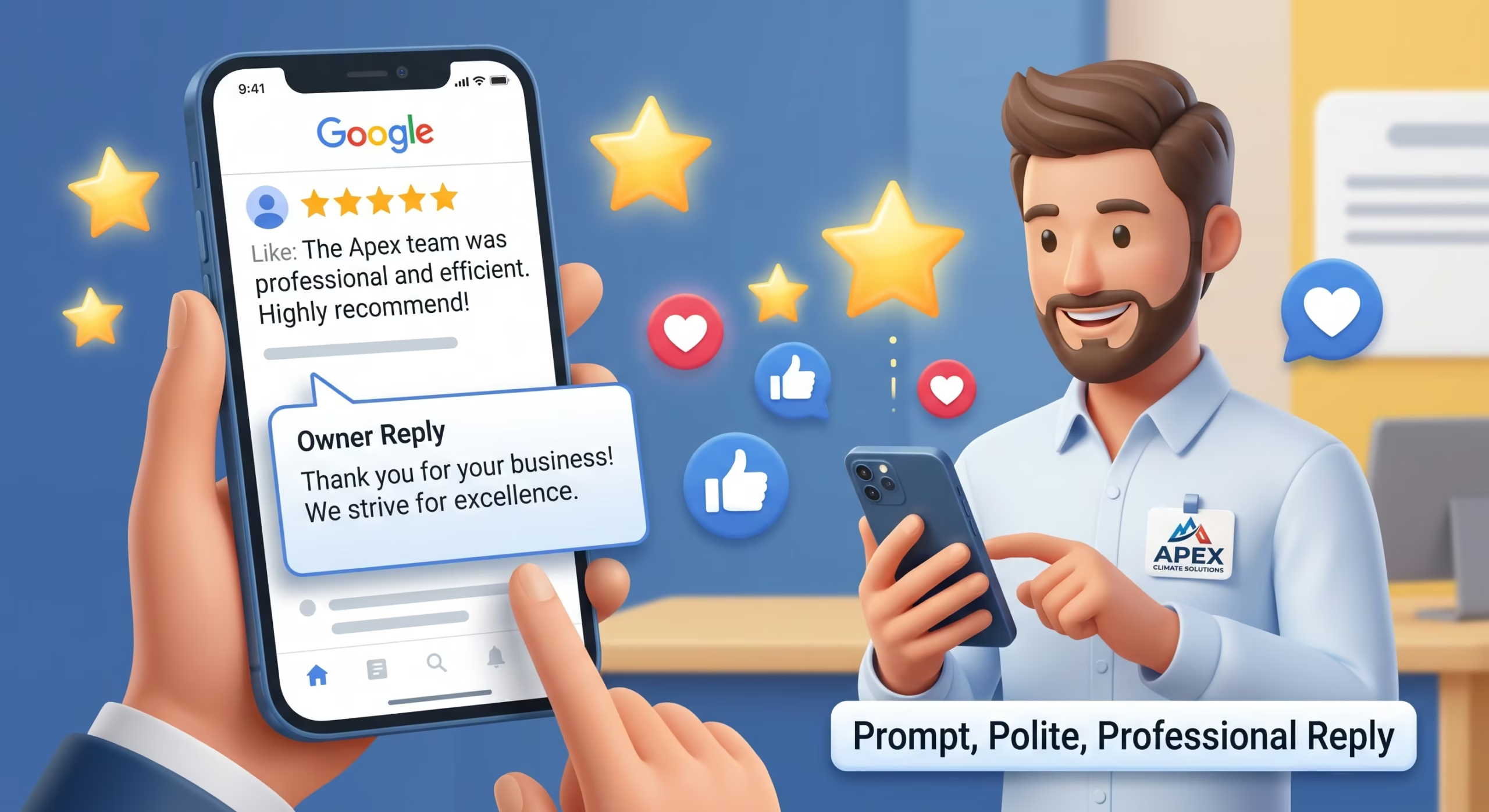
A profile with a 4.8-star average and 120 detailed reviews will consistently out-convert a competitor with a 5.0-star rating based on only three reviews.
       [ Systematic Review Acquisition Flow ]
                          │
  Deliver Completed Service or Final Product Milestone
                          │
                          ▼
   Send Direct Review Link via Automated Email / SMS
                          │
                          ▼
  Customer Writes Detailed Review (Mentions Specific Service)
                          │
                          ▼
   Owner Responds Within 24–48 Hours Using Natural Context
Developing Sustainable Review Velocity
Google monitors review velocity the pace at which new feedback arrives. Receiving thirty reviews in two days followed by three months of silence can trigger fraud filters. Aim for a steady, predictable influx of authentic client reviews.
-
Create a short Google Review link directly from your dashboard (
[https://g.page/r/.../review](https://g.page/r/.../review)). -
Incorporate review requests directly into operational workflows: post-purchase emails, dispatch follow-ups, or QR codes on printed service receipts.
-
Encourage clients to mention the specific technician, service performed, and neighborhood in their feedback. These organic customer phrases enrich your entity profile with natural semantic associations.
How to Respond to Reviews
Respond to every review, both positive and negative, within 24 to 48 hours.
-
Positive Reviews: Acknowledge specific elements mentioned by the customer. Use natural language instead of templated robotic replies.
-
Negative Reviews: Respond objectively and calmly. Acknowledge the issue, apologize for the frustration without admitting legal fault, and offer an offline contact path (e.g., “Please reach out directly to our operations manager at name@business.com so we can make this right”). Prospective clients inspect negative review responses to gauge customer service maturity.
Step 6: Products, Services, and Visual Media
Leaving secondary profile features blank signals an unmaintained listing. Maximize the following elements to occupy visual screen space:
Services and Custom Menus
-
Fully populate every native service item nested underneath your chosen categories.
-
Add itemized pricing and comprehensive descriptions for each service entry.
-
Detail distinct service variants rather than lumping everything into one generic block.
Product Showcases
Even service-based businesses can use the Products tab. Create product cards for signature packages, retainers, diagnostic evaluations, or recurring maintenance plans. These display as interactive visual carousels directly in mobile search cards, providing additional click opportunities.
High-Impact Visual Content
Photos establish physical proof of business operations:
-
Exterior Shots: Capture daylight and dusk angles showing the street approach, building facade, and parking area to help searchers locate you easily.
-
Interior Views: Showcase reception areas, conference rooms, service bays, or production floors.
-
Team & Work: Include unedited photos of your staff in uniform, branded fleet vehicles, and active project workflows.
-
Image Specifications: Upload standard JPEG or PNG files, minimum 720×720 resolution, properly focused, with natural lighting. Avoid heavily filtered photos or generic stock photography, which Google’s automated visual detection models can flag.
Step 7: Bridging Your Profile with Website On-Page SEO
A Google Business Profile does not rank in a vacuum; it is deeply tethered to the destination URL specified in the website field.
Dedicated Location Landing Pages
If your business operates across multiple locations, link each specific Google Business Profile to its respective dedicated local landing page, never to a single generic homepage.
Ensure that landing page features:
-
The exact matching NAP details formatted in standard HTML.
-
An embedded Google Map pointing directly to your verified profile.
-
Targeted headings reflecting the core local service offering.
-
Clear internal links to related core service pages.
Local Business Schema Markup
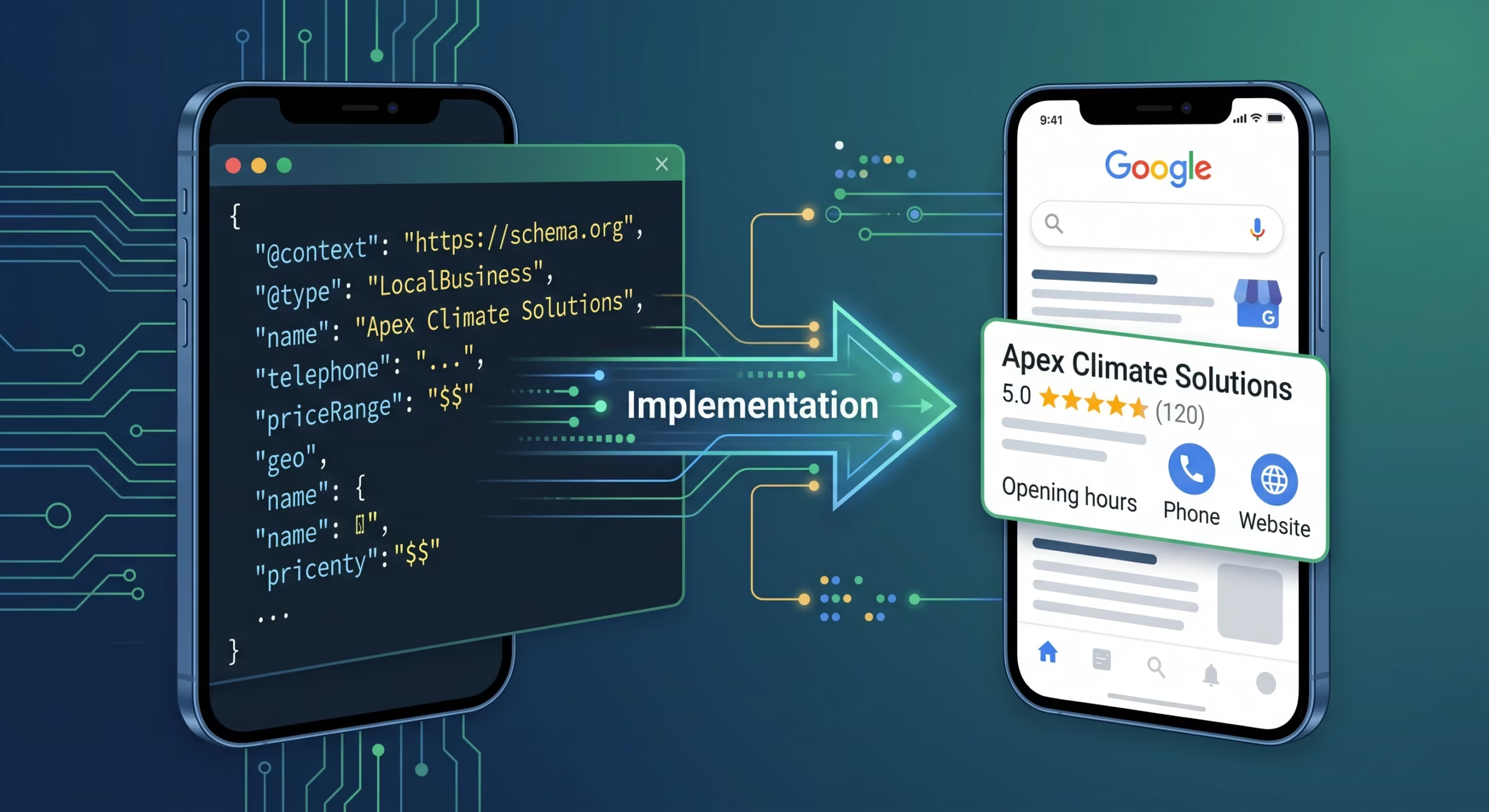
Implement structured data using JSON-LD on your target landing page. Apply the most specific LocalBusiness subtype available (e.g., HVACBusiness, LegalService, MedicalClinic).
Ensure the schema mirrors your live profile properties:
{
  "@context": "https://schema.org",
  "@type": "HVACBusiness",
  "name": "Apex Climate Solutions",
  "image": "https://example.com/assets/storefront.jpg",
  "@id": "https://example.com/#organization",
  "url": "https://example.com/chicago-location",
  "telephone": "+1-312-555-0149",
  "priceRange": "$$",
  "address": {
    "@type": "PostalAddress",
    "streetAddress": "1420 N Milwaukee Ave",
    "addressLocality": "Chicago",
    "addressRegion": "IL",
    "postalCode": "60622",
    "addressCountry": "US"
  },
  "geo": {
    "@type": "GeoCoordinates",
    "latitude": 41.9077,
    "longitude": -87.6742
  },
  "openingHoursSpecification": {
    "@type": "OpeningHoursSpecification",
    "dayOfWeek": [
      "Monday",
      "Tuesday",
      "Wednesday",
      "Thursday",
      "Friday"
    ],
    "opens": "08:00",
    "closes": "18:00"
  }
}
Measuring Performance and Tracking True ROI
Do not rely solely on the built-in Performance metrics inside the Google Business Profile dashboard. While those charts provide a helpful baseline for profile interactions, they often lump organic search clicks together with direct profile impressions.
Clean Campaign Tracking via UTM Parameters
Append custom UTM tags to your profile website link. This enables Google Analytics 4 (GA4) to separate traffic originating from the Google Business Profile from standard organic SERP clicks.
Use the following tagging structure:
https://example.com/?utm_source=google&utm_medium=organic&utm_campaign=gbp-listing
For appointment booking links:
https://example.com/book/?utm_source=google&utm_medium=organic&utm_campaign=gbp-appointment
Key Performance Indicators to Track
-
Direct vs. Discovery Searches: Track whether searchers find you by typing your brand name directly or by searching for a broad service category.
-
Local Grid Tracking: Use geo-grid tracking tools to evaluate where your business ranks across a 5-to-10-mile radius on a map grid. This clarifies how far your prominence extends away from your physical pin.
-
High-Value Actions: Monitor outbound phone calls, direction requests, and completed booking actions rather than vanity view counts.
Common Mistakes That Sabotage Local Rankings
-
Inconsistent Operating Hours: Failing to update special holiday hours leads to frustrated customers leaving 1-star reviews about arriving at locked doors.
-
Ignoring the Q&A Section: Anyone can ask and answer questions on your profile. If you do not monitor this section, competitors or confused users may post incorrect pricing or false policies. Seed your own Q&A with genuine frequently asked questions and answer them officially.
-
Sudden Major Name or Address Edits: Changing your primary business name or physical address abruptly can trigger immediate re-verification or suspension. Prepare current lease agreements and utility bills before making substantial administrative edits.
-
Neglecting Google Updates: Google frequently pulls suggested edits from users and third-party web directories. Review your profile dashboard regularly to reject inaccurate automated edits before they go live.